 Brightest Games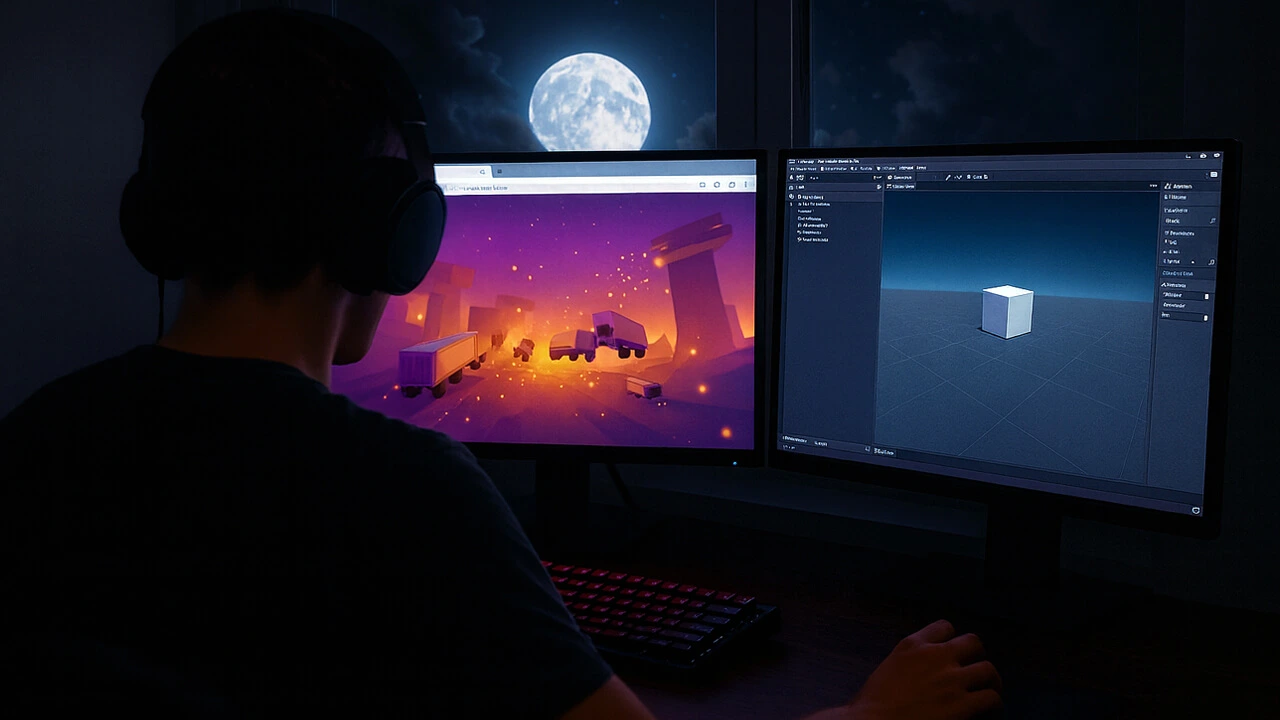
🎮Browser games once lived in tiny windows with flat colors, choppy animation, and click-only controls that struggled to hold attention. They were lightweight distractions, fun in short bursts, but rarely immersive. Today, the browser can open a fully realized 3D world with smooth camera movement, responsive physics, and audio that reacts instantly to what the player does. Effects that once required a dedicated engine, dynamic lighting, detailed shadows, particle systems, and real-time interactions now run directly in a tab. The gap between “browser game” and “game” has narrowed to the point where many players no longer notice a distinction.
That jump comes from two core technologies, WebGL and the Unity engine, which bring direct graphics card access and full authoring tools into the tab instead of relying on old plug-in systems. The same stack now powers interactive dashboards, browser-based learning tools, and casino platforms where people who look for additional information on tables, fast withdrawal speed, or no ID verification and check comparison pages that track which sites deliver these features with ease.
Developers did not reach this point overnight, and the path from early plug-in tools to native browser power shows how quickly standards-based graphics changed expectations for what could run inside a tab.
From Plug-ins To Native Browser Power!
🌐 Early browser games depended on plug-ins such as Flash and Java applets. Each one asked players to install components, accept updates, and click through security warnings. Visual quality stayed modest, frame rates dropped, and crashes could wipe out progress. Tower defense hits such as the Bloons Tower Defense franchise showed how much creativity developers could draw from plug-in-based tools, yet those games revealed the limits browsers faced before native graphics took over.
Pressure from security teams, platform holders, and players pushed the industry toward graphics standards built into browsers. As HTML5 matured and WebGL arrived, studios gained a cleaner route to hardware-accelerated visuals that worked without extra installers, and that change opened the door for engines such as Unity to treat the browser as a target rather than a compromise.
What WebGL Actually Does Inside The Browser?
WebGL is a JavaScript-based interface that lets code talk to the graphics card. Instead of drawing every frame on the CPU, WebGL hands complex scenes to the GPU so shaders, textures, and geometry can be processed at speed. That pipeline lets a tab host worlds that redraw constantly while staying responsive to input. Characters move smoothly, physics update without interruption, and effects can unfold in real time, and examples such as the Cluster Truck game show how an action title can run this way inside the browser. Engines such as Unity use the same route, relying on WebGL as the bridge between high-level tools and the hardware that renders each frame.
⚙️ Support for WebGL spans all major desktop and mobile browsers, which gives studios a path to reach a wide audience with one build. Teams can adapt asset quality to each device, fine-tune settings for weaker hardware, and keep stronger machines rendering richer effects, which makes the browser a distribution point rather than a fallback version of a game.
How Unity Turns A Full Game Into A WebGL Build?
On the production side, developers use Unity to assemble levels, logic, physics, audio, and interface elements in one editor. The same project can target consoles, desktop apps, mobile devices, and the browser. When a team wants to reach players in a tab, they choose the WebGL build option, set quality and compression targets, then generate a package ready to upload to a web server.
Under the hood, that build becomes a bundle of JavaScript, WebAssembly, and assets that modern browsers can load and execute. A key point confirmed in the Unity Manual section on web performance considerations is that the WebGL build option turns the project into a JavaScript program that relies on HTML5 technologies and the WebGL API, with Emscripten translating code into WebAssembly on the CPU side. This explains why browser performance depends on how efficiently each browser handles that process. In practice, that means Unity WebGL games can feel close to native versions on desktop browsers, while remaining accessible to players who only have time for a quick game in a spare tab.
Why Modern Browser Games Feel Smoother And Richer?
Modern browser WebGL games feel smoother because developers combine several techniques to keep performance steady. Texture compression lowers memory use, asset bundles reduce download size, and WebAssembly speeds up core logic on the CPU, which shortens loading and reduces pauses that once broke play. 🖥️
Visual quality rises on the same base because browsers can process complex shaders, lighting, shadows, and post-processing passes that refine depth without overwhelming the hardware. Unity projects aimed at WebGL allow selective use of these effects on different devices, so scenes stay clean even when hardware varies. Input and audio systems contribute just as much because the browser handles mouse, keyboard, touch, and controller signals with accuracy while routing sound cues that help players read moments in play, and some players add VPN configurations for speed and safety to keep latency stable when a game demands quick reactions.
This combination of performance choices, visual features, and responsive systems explains why modern browser titles feel more dependable than anything the plug-in era allowed.
Final Say
The rise of WebGL games and Unity shows that the browser is no longer a fallback for players who cannot install a full client. It has evolved into a genuine platform where worlds load quickly, respond smoothly, and sustain attention without the compromises that once defined online gaming play. Performance ceilings that used to hold browser games back have been pushed upward by modern GPUs, better JavaScript engines, and increasingly efficient rendering pipelines.
What’s even more significant is how these tools have lowered the barrier to entry for creators. Indie developers, students, and small studios can now push out visually striking, mechanically rich experiences that run almost anywhere. Players no longer have to worry about downloads, compatibility, or system clutter, a single click can launch an entire universe.
The next generation of standards may lift these limits even further, blurring the line between native and browser-based games. But even now, the current toolset has proven something important: with the right technology behind it, a simple browser tab can carry real games, ambitious, polished, and fully capable of standing alongside traditional clients.
Blog / Wiki / BrightestGames
Date Added: Thursday, 24 November 2025 (GMT-5) Time in Chicago, 08:35 IL, USA
Related Articles: Speed Vs Strategy: What Defines True Competitive Skill?
What It Takes To Make Games That Non-Gamers Might Enjoy
Snackable Play: Why Short Sessions Win And How To Design For Them
Why Short Online Games Are So Rewarding And How To Play Healthy?
Fix Browser Game Lag On Low-End Devices With Five Lightweight Tweaks
Why Payment Options Matter More Than Ever For Gamers?


